
BLogS
-

Why is a Stock Management System essential for your business Growth?
Inventory management is one of the most challenging aspects of the business. When your business is experiencing the growth phase, you would also be encountering high demands that sometimes become difficult to meet. This is where stock management software comes into the picture. Here are some details that would really help you while dealing with…
-

8 Reasons a CRM System is Crucial for Future Business
A Customer Relationship Management system is one of the essential components for any company. Whether it is a small scale organization or medium scaled organisation, a CRM will help your firm move to the next level. The one-stop solution for client management has a number of benefits. Let us go through some of these: Client…
-

Importance of Membership Management Software for Customer Management
CRM or customer relationship management is one of the most important aspects of any business. The customers and the clients form the soul of any establishment and thus proper management is vital for the success of the organisation. With the advancement of technology, there is a number of different CRM software available. But why is…
-
7 Guidelines to consider before using Dynamics 365 Financials
If you are one of the enthusiasts waiting for the Dynamics 365 for Financials, it’s a very exciting time. Here we identify the main issues you should take into consideration before starting Dynamics 365, Financials. The first thing to consider is that Dynamics 365 for Financials does not come with a pre-defined user guide and that makes…
-
5 Reason why ERP is essential for your Business
As an entrepreneur, one must face a thousand questions each day about the workflow. There are several tasks to be completed each day and you could apply different permutations and combinations to the possible solutions. But, daily, this gets quite difficult. The one platform which can help you solve all of these issues together is…
-
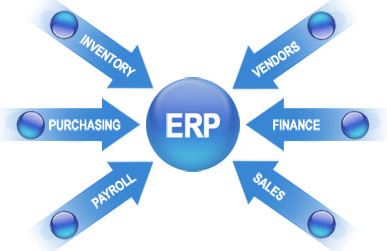
4 Benefits of Cloud-Based ERP for Business Optimization
Cloud-based ERP is one of the greatest gifts cloud technology could have given to the world of business. A lot of enterprises are already using ERPs especially if the business requires a lot of inventory control. ERP is the right way to go. Whether it’s your office space, warehouse or storehouse, ERP will enable you…
-
Streamline Your Business with eBay Integrated ERP
An ERP system is a comprehensive database that distributes information across the business. It caters to your entire information management requirements. ERP can help you in handling so much, just imagine how an ERP system integration with 3rd party applications can do. An ERP can help you collaborate if your company is working with more…
-
8 Reasons to use Cloud Based ERP
For small and medium businesses, maintaining smooth operations is of absolute importance. This is why a growing number of companies and establishments are opting for the ERP software in order to enhance their operations. This is the one stop software to all operational procedures. A cloud-based ERP in Ireland would not only streamline your operations…
-
Gear Up Business Intelligence Through Dynamics 365
The CRM and ERP blended cloud service ‘Dynamics 365′ launched by Microsoft is a real game changer. The online Microsoft CRM is also known as Dynamics 365. It represents a sales or operations module that can be combined and matched. It provides flexible and standardized guidelines towards purchasing and utilizing business applications. Microsoft has termed…


 English (UK)
  English (United States)
  English (Ireland)
  English (India)