
Outlook message "Your email program is using outdated address information …"
June 8, 2016
Recent Posts
- 7 Signs Your Business May Have Outgrown Its Current Systems
- Odoo 20: 20 of the Best New Features You Need to Know About
- Is Your Business Ready for AI? 7 Things to Fix Before You Start
- Why Businesses Choose Target Integration as Their Odoo Partner
- Securing the Supply Chain: AI and Cyber Risk in Manufacturing
Want to make your Microsoft 365 work harder for your business?
and we’ll tailor a solution that’s just right for you.
When you try to send email from outlook and get an email saying “Your email program is using outdated address information for [email protected].” then don’t worry.
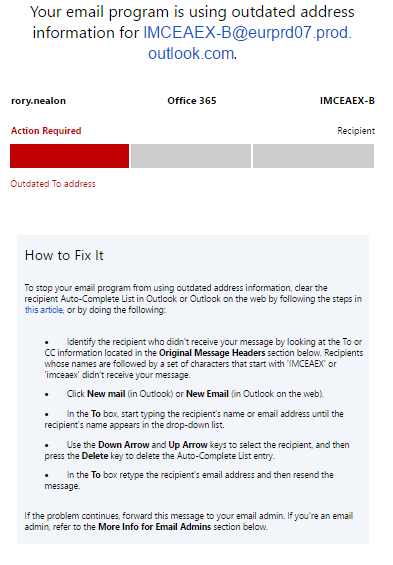
There can be following reasons for the same –
- The recent migration recipient email account
- Change in the SMTP details of recipient email id
In both the cases the solution is the same, just remove the auto memory of the outlook i.e. when you try to send an email from outlook, in To section (where you enter the recipient email id) outlook fetches the data and show you the auto saved details of the person
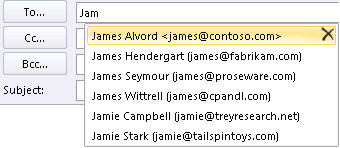
Click on X and remove it from the outlook memory and now sending the email & Eureka !! Your problem will be sorted.
Don’t forget to like and share our posts !!


 English (UK)
  English (United States)
  English (Ireland)
  English (India)