
How to change Organization name in CiviCRM
December 1, 2016
Recent Posts
- 7 Signs Your Business May Have Outgrown Its Current Systems
- Odoo 20: 20 of the Best New Features You Need to Know About
- Is Your Business Ready for AI? 7 Things to Fix Before You Start
- Why Businesses Choose Target Integration as Their Odoo Partner
- Securing the Supply Chain: AI and Cyber Risk in Manufacturing
Want to make your Microsoft 365 work harder for your business?
and we’ll tailor a solution that’s just right for you.
Are you looking for CiviCRM Organization Setup? Been wandering around for right instructions ? Don’t worry below are the instructions which can help you to customise the organisation set up in CiviCRM Joomla
Step 1: Login to your CiviCRM using admin login.
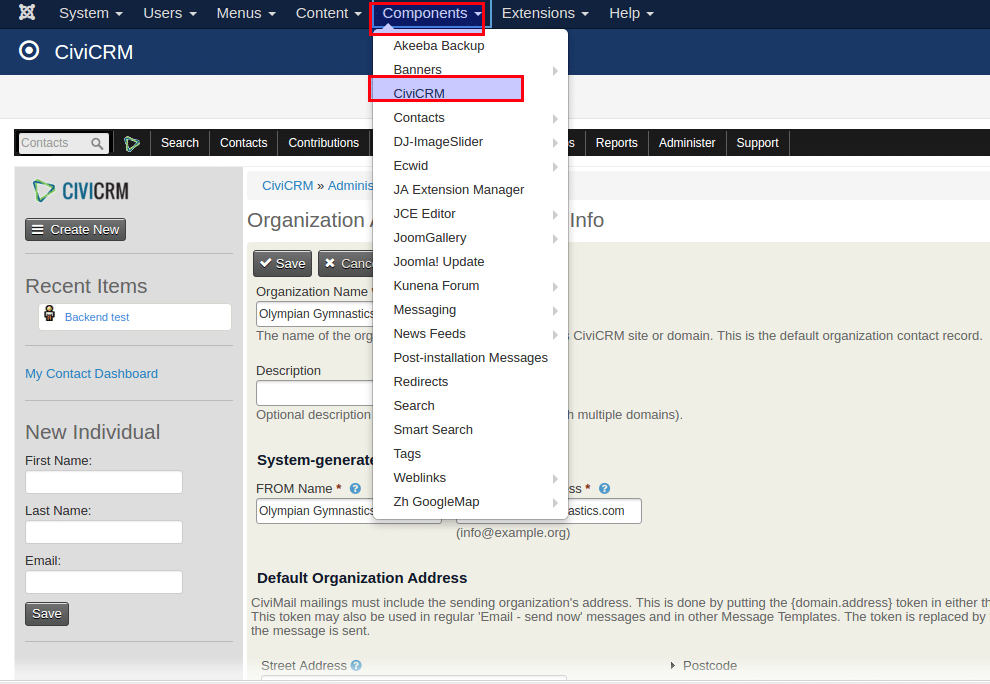
Step 2: Now go to Components -> CiviCRM.
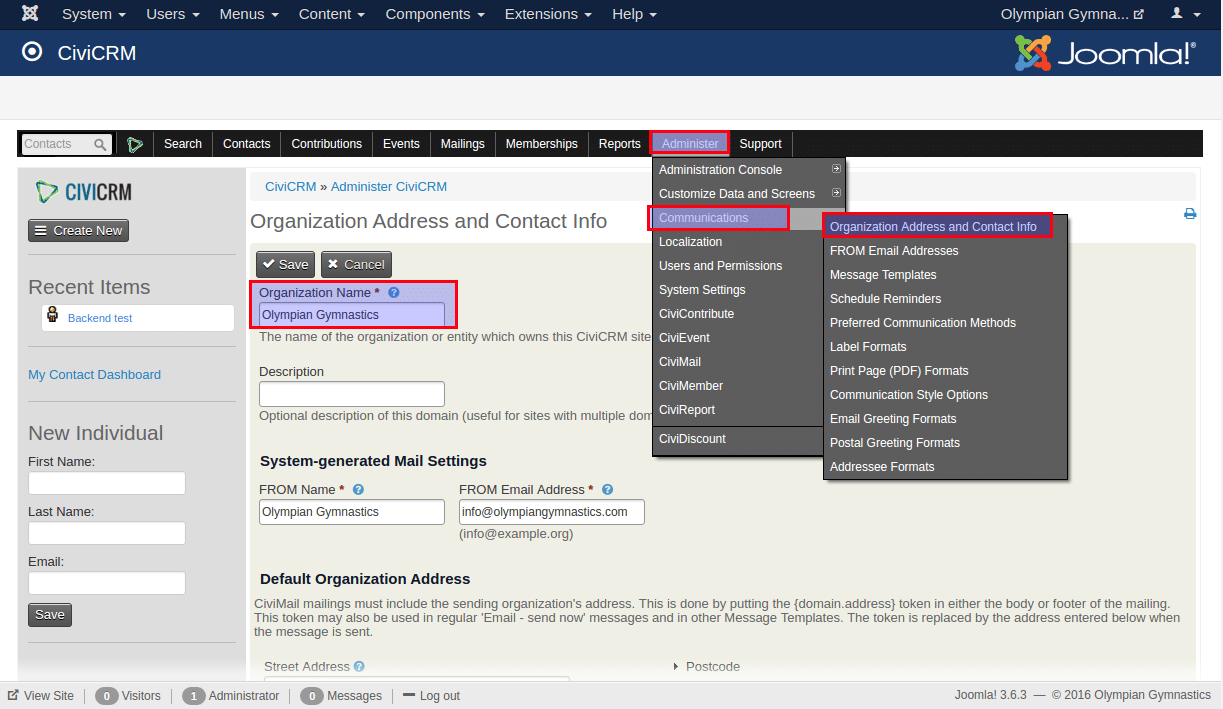
Step 3: From the menu bar got to Administrator -> Communications -> Organization Address and Contact Info.
Step 4: Now you can change the name of the organisation from “Organization Name” field.
Step 5: Save the details.
Loved the way we work, the like comment or share the article. 🙂


 English (UK)
  English (United States)
  English (Ireland)
  English (India)