
How to Manage Restrictions over "Fields" for an opportunity in Odoo
May 23, 2017
Recent Posts
- Lean Business: How to Reduce Waste and Build More Efficient Processes
- Scariest Business System Nightmares – and How to Banish Them
- The Connected Compliance Problem
- Mind the Digital Gap: Is Your Business Ready for What Comes Next?
- AI Transformation Is a Business Change Challenge, Not Just a Technology Project
Want to make your Microsoft 365 work harder for your business?
and we’ll tailor a solution that’s just right for you.
In the Odoo CRM module, there is no restriction over the fields. This means you can move between the stages of the opportunity without any restriction over the fields.
Target Integration has created a customised module called “CRM Mandatory Field” which overcomes the default functionality in the CRM module that is moving between the stages of the opportunity without any restriction over the fields.
This module will help you to restrict the user’s movement between the stages of an opportunity when the required fields are empty.
You can set any field as a required field by selecting the field’s name from the drop-down menu, after editing the stage you can select multiple fields as a required field.
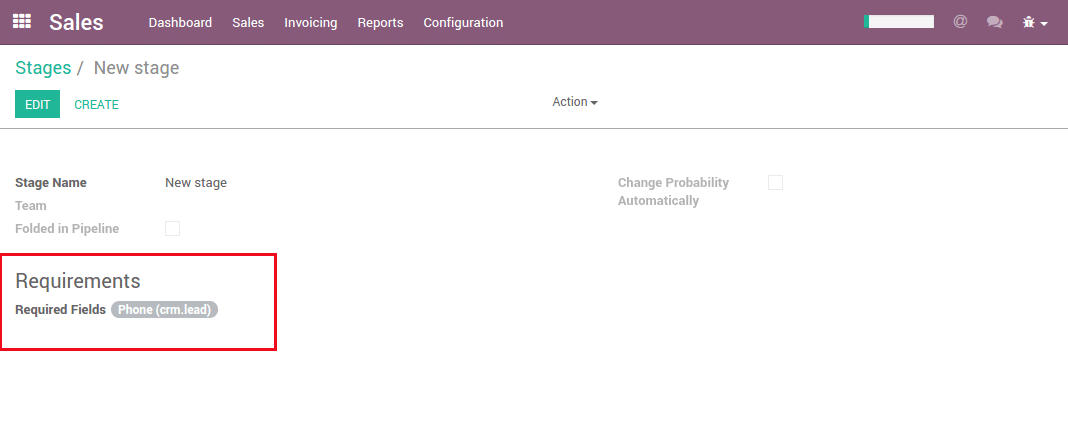
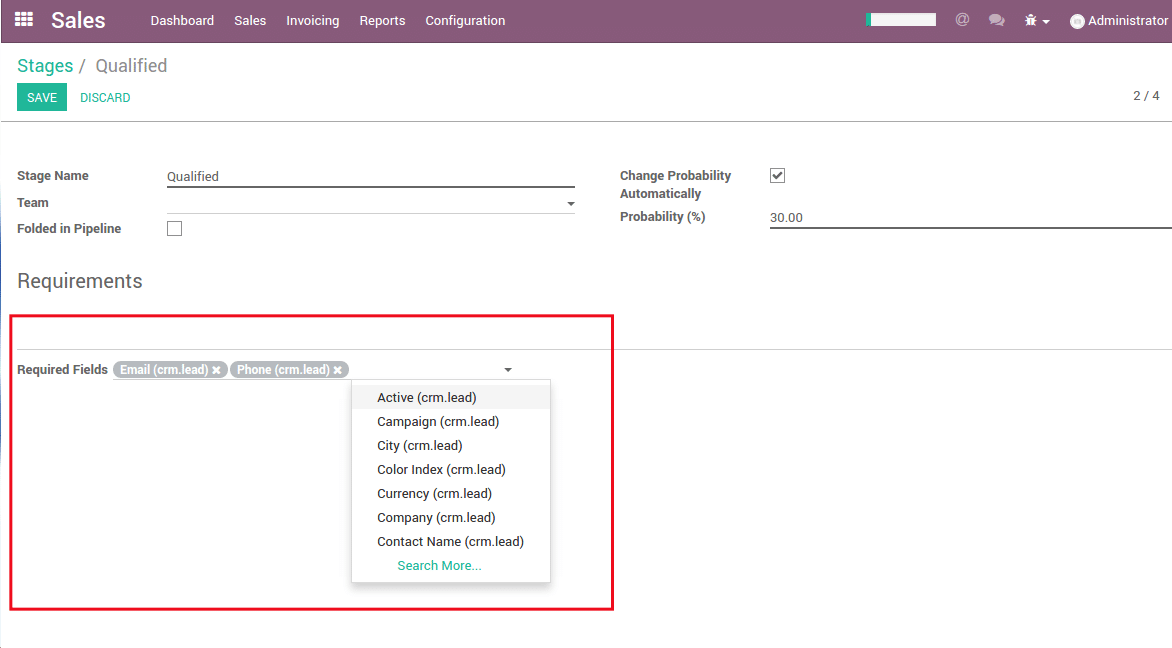 This module also helps the user to restrict any field in any of the stages of the opportunity, for example; New, Qualified, Proposition, Won and any other stages created by the user by adding the fields as a restricted field on the stages form.
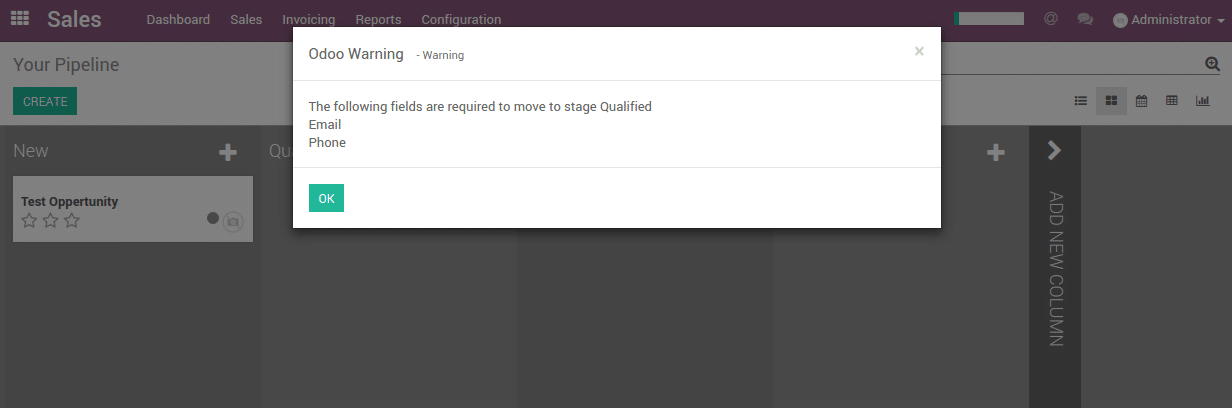
If the user is moving from one stage to another and the required field is empty, then he/she will get an Odoo’s warning message with the missing field name, so it is easy to rectify for the user which field is missing.


 English (UK)
 English (United States)
 English (Ireland)
 English (India)