
How to change Organization name in CiviCRM
December 1, 2016
Recent Posts
- Lean Business: How to Reduce Waste and Build More Efficient Processes
- Scariest Business System Nightmares – and How to Banish Them
- The Connected Compliance Problem
- Mind the Digital Gap: Is Your Business Ready for What Comes Next?
- AI Transformation Is a Business Change Challenge, Not Just a Technology Project
Want to make your Microsoft 365 work harder for your business?
and we’ll tailor a solution that’s just right for you.
Are you looking for CiviCRM Organization Setup? Been wandering around for right instructions ? Don’t worry below are the instructions which can help you to customise the organisation set up in CiviCRM Joomla
Step 1: Login to your CiviCRM using admin login.
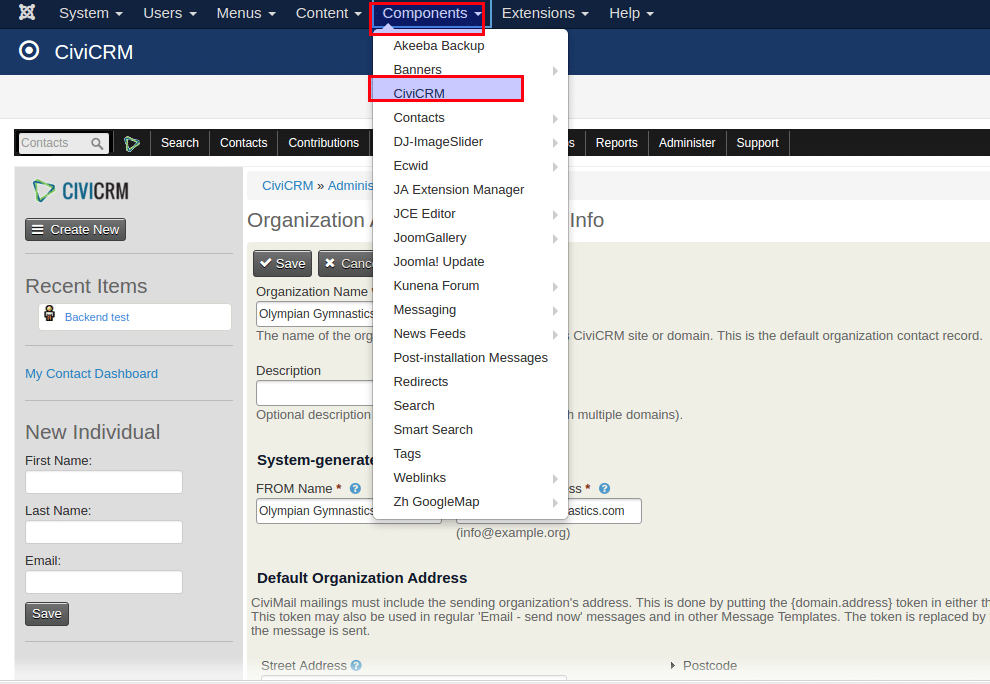
Step 2: Now go to Components -> CiviCRM.
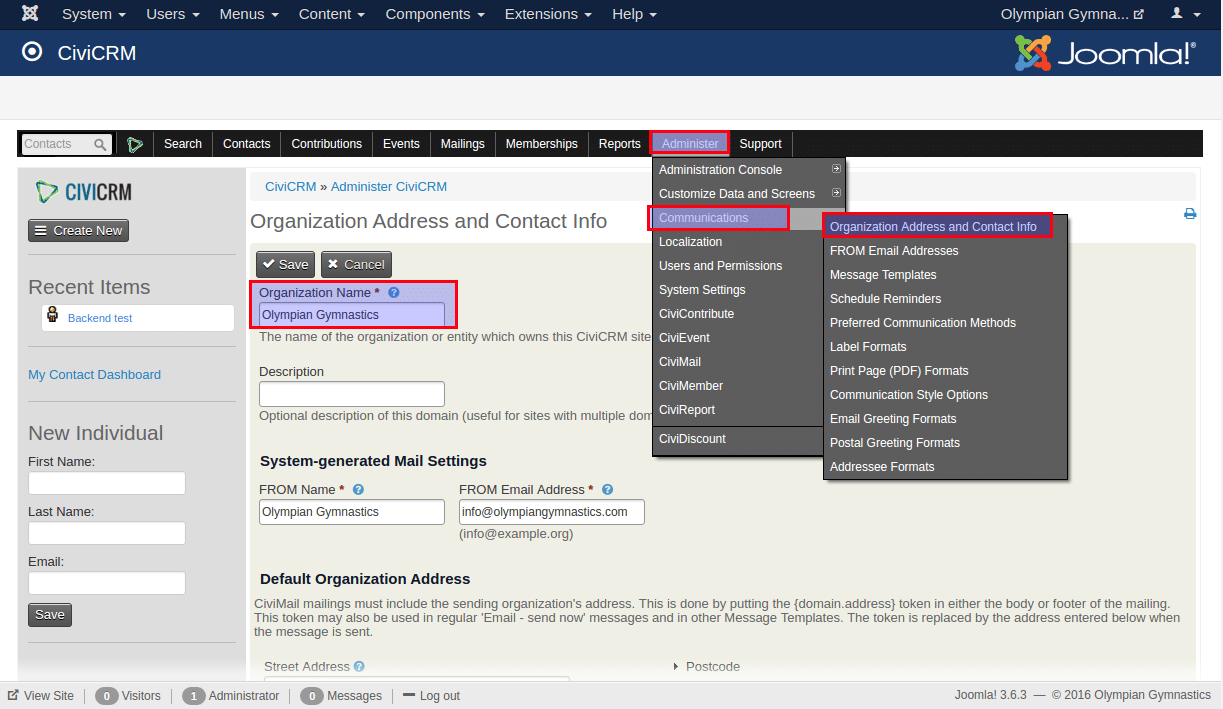
Step 3: From the menu bar got to Administrator -> Communications -> Organization Address and Contact Info.
Step 4: Now you can change the name of the organisation from “Organization Name” field.
Step 5: Save the details.
Loved the way we work, the like comment or share the article. 🙂


 English (UK)
 English (United States)
 English (Ireland)
 English (India)